Production or development
Your account has two key types on the same screen and for the same URL. They change what the request does:
| Point | Development | Production |
|---|---|---|
| Prefix | afd_test_pk_… | afd_live_pk_… |
| Behavior | Simulates a response in the real format. Never charges. | Executes and charges only 2xx responses. |
dev_mode | Required: without it, 403. | Not allowed: with it, 400. |
| Per-minute limit | The lower of the route limit and 120. | The route limit. |
Create a key
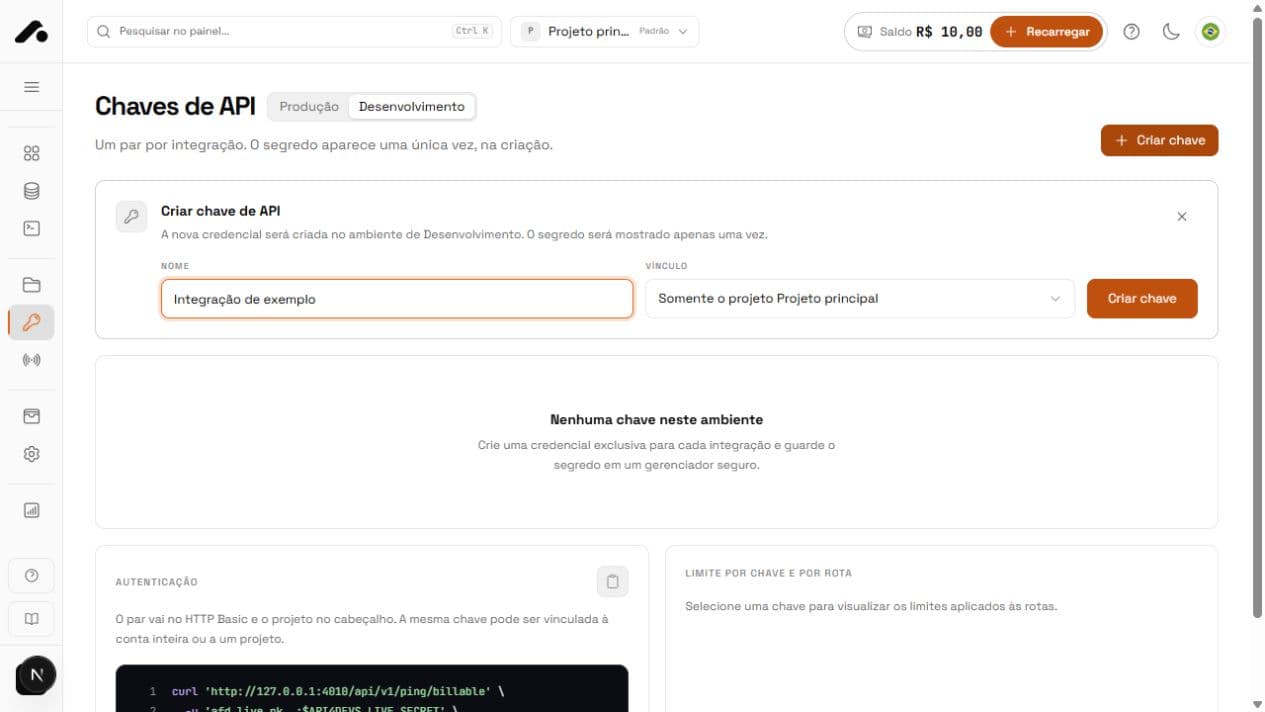
- Open API keys in the dashboard and choose Production or Development.
- Click Create key.
- Use a name that identifies the integration, such as
checkout-webornightly-erp. Create one key per integration. - Choose the Scope: Entire account if
X-Project-Idselects the project on each request, or Only this project for a single client's integration. - Click Create key.
Store the secret
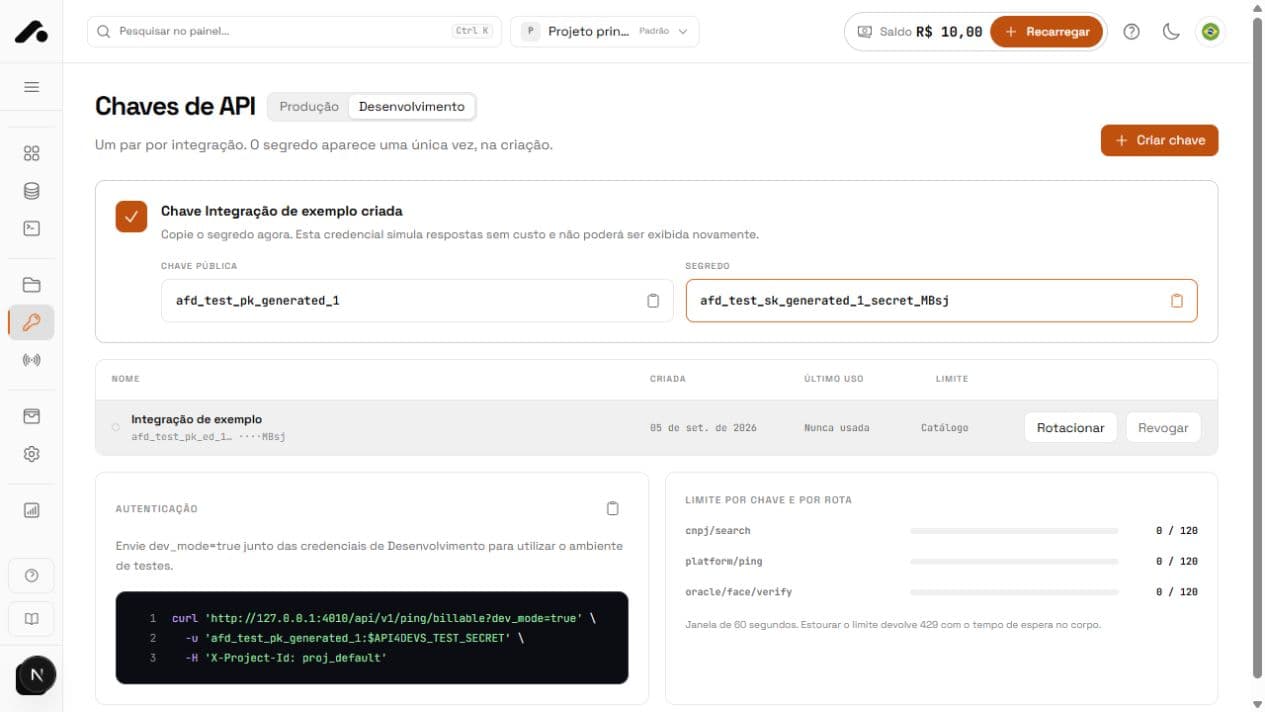
The pair has a public key and a secret. The secret appears only once, right after creation. ApiForDevs stores only its hash; even support cannot retrieve it.
Make the first request
Send the pair in HTTP Basic (public_key:secret) and the project in X-Project-Id. Without that header, the default project applies. A project-bound key uses its own project. Ping checks the key, project, quota, and balance without executing a service.
curl 'https://api.apifordevs.com/api/v1/ping/billable?dev_mode=true&summary=true' \
-u "afd_test_pk_...:$APIFORDEVS_TEST_SECRET" \
-H 'X-Project-Id: proj_...'
import os
import requests
response = requests.get(
"https://api.apifordevs.com/api/v1/ping/billable",
params={"dev_mode": "true", "summary": "true"},
auth=("afd_test_pk_...", os.environ["APIFORDEVS_TEST_SECRET"]),
headers={"X-Project-Id": "proj_..."},
timeout=30,
)
print(response.status_code, response.json())
In Development, billable is false and the price is zero. Here is a shortened response:
{
"success": true,
"code": 200,
"errors": [],
"header": {
"service": "platform/ping",
"billable": false,
"dev_mode": true,
"price": "0.000000",
"log_id": "01a07159-..."
},
"data_count": 1,
"data": [{"pong": true, "service": "platform/ping", "project": "proj_..."}]
}
Rotate and revoke
| Point | Rotate | Revoke |
|---|---|---|
| When | Regular replacement or when a teammate leaves. | The secret was exposed. |
| What happens | A new pair inherits the environment and restrictions. The old pair remains valid for 24 hours. | The key stops authenticating immediately. This cannot be undone. |
| What to do | Replace the secret on your server within 24 hours. | Create another key and update the server. |
Common errors
| Status · code | What happened | How to fix it |
|---|---|---|
401 unauthorized | The public key or secret is wrong, or Basic was not used. | Check the pair and -u key:secret. |
403 test_key_cannot_run_live | A Development key was used without dev_mode=true. | Send dev_mode=true or use a Production key. |
400 live_key_cannot_use_dev_mode | A Production key was used with dev_mode=true. | Remove dev_mode. |
400 bad_request | The credential is bound to a different project. | Send the key's project or omit the header. |
403 ip_not_allowed | The server IP is not allowed for this project. | Add the IP in Projects. |
429 rate_limit_exceeded | The key hit the route's per-minute limit. | Wait for the indicated time and reduce the request rate. |
Each account can have up to 25 active keys per environment. Revoke keys you no longer use before reaching the limit.
Quick answers
No. Only its hash is stored. Rotate the key, replace it within 24 hours, and save the new secret.
Development simulates with `dev_mode=true` and never charges. Production executes and charges only 2xx responses. Both use the same URL.
When an integration serves just one client or product. The key uses its own project and rejects a different `X-Project-Id`.